SHOPPING CART
SKU: 240424004259
Brand : Made in China
Warranty : 3 Days
৳ 980.04
Category: ESP32
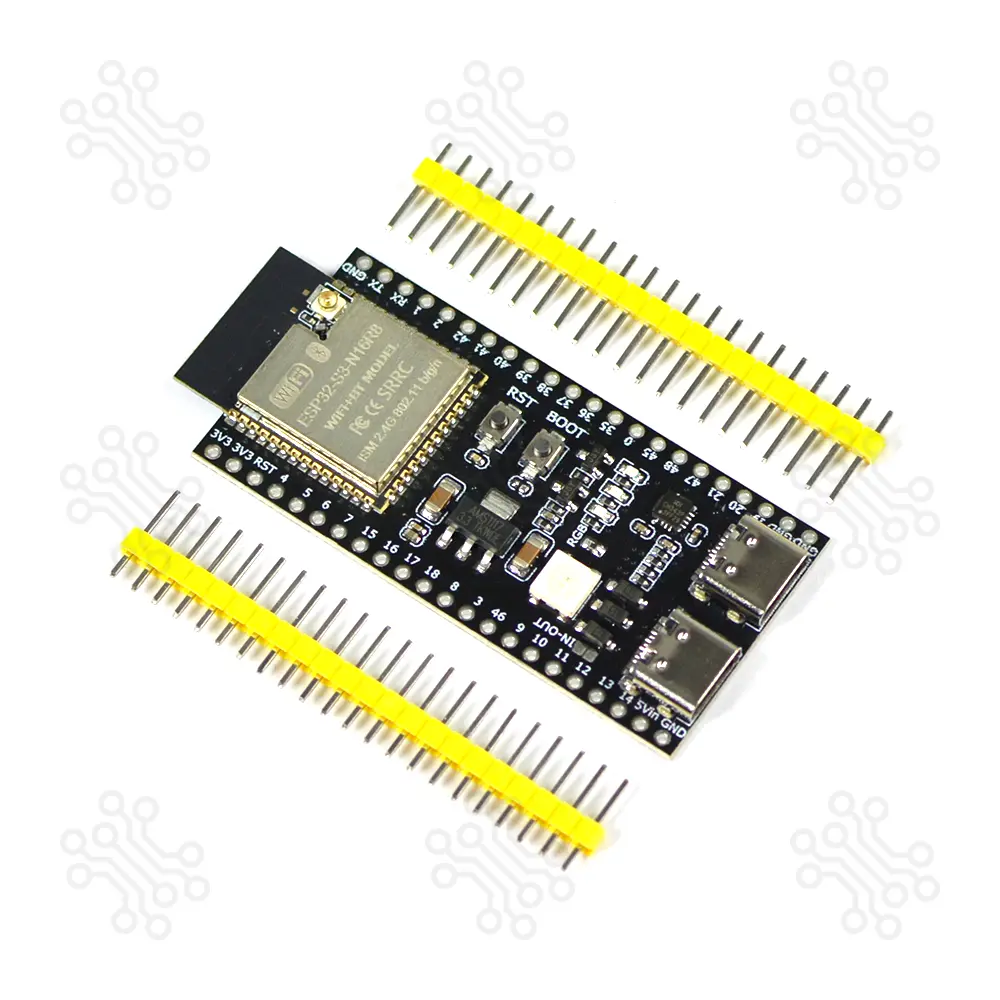
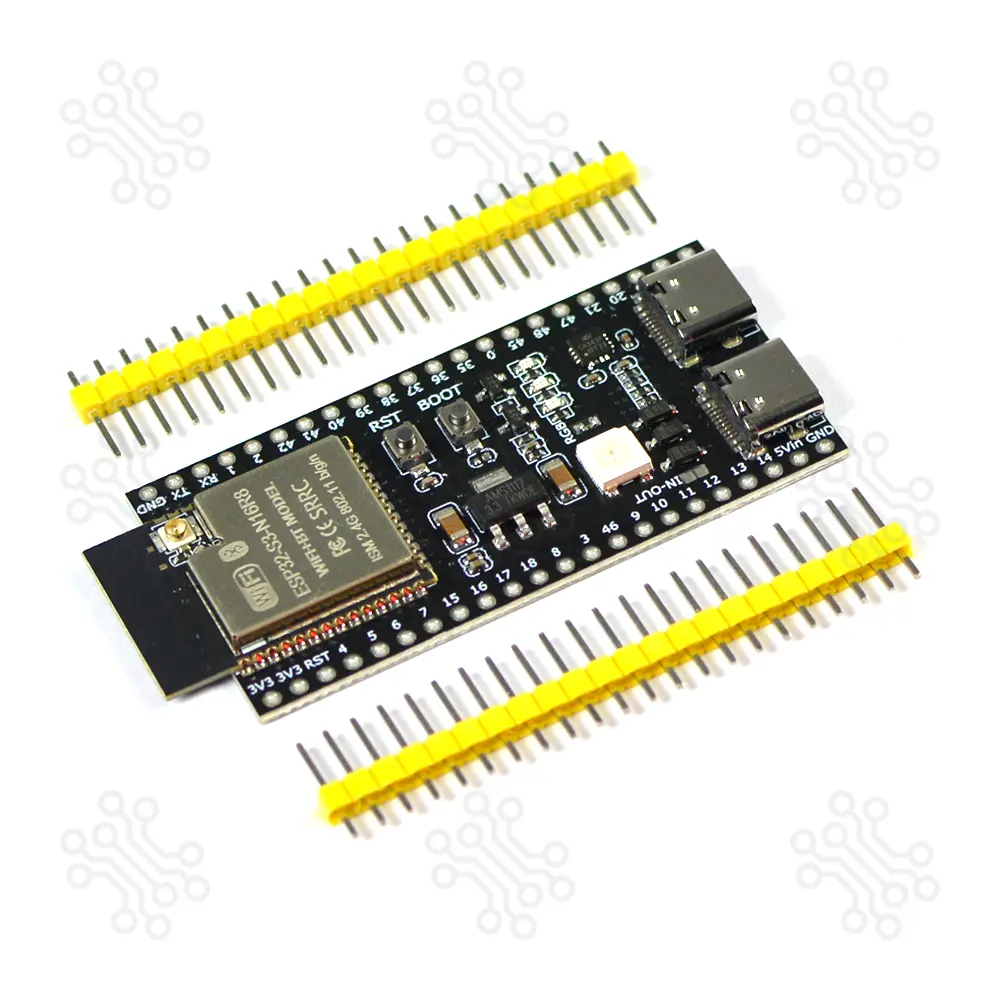
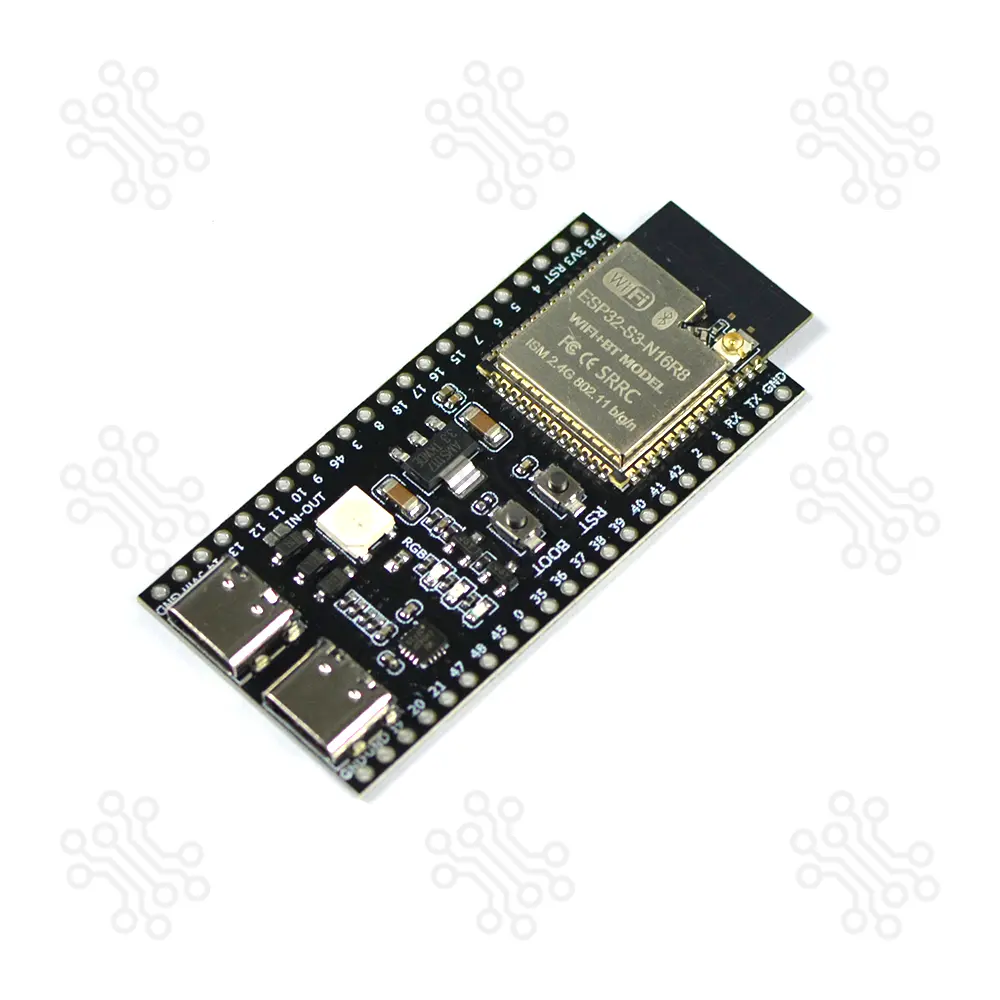
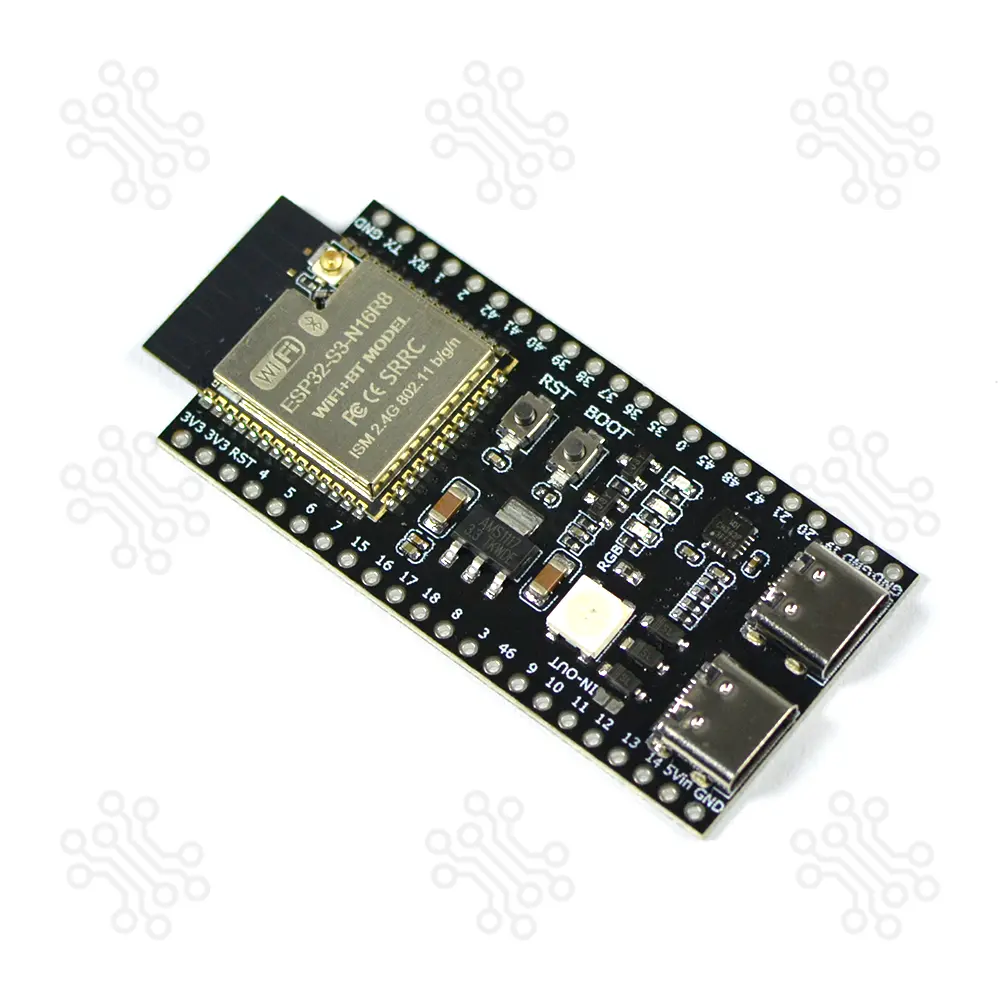
The ESP32 S3 DevKitC-1 N16R8 is an entry-level development board equipped with ESP32-S3-WROOM-1 a general-purpose Wi-Fi + Bluetooth Low Energy MCU module that integrates complete Wi-Fi and Bluetooth Low Energy functions. It perfect for AI, IoT, and advanced embedded applications. With dual-core Xtensa LX7 processors, it brings enhanced computing power for machine learning, neural networks, and signal processing projects. The board’s versatility is enhanced with its Dual USB-C ports, making it easier than ever to power, program, and interface with external devices.
This board features a 16MB embedded flash, 512KB internal SRAM, and 8MB PSRAM, making it suitable for memory-intensive applications. It supports WiFi 802.11 b/g/n and Bluetooth 5 (BLE). The board offers up to 34 GPIO pins and operates at 3.3V logic level. It can be powered via USB Type-C or an external 5V supply. With built-in native USB support, it enables easy programming and debugging without requiring an external USB-to-UART converter.
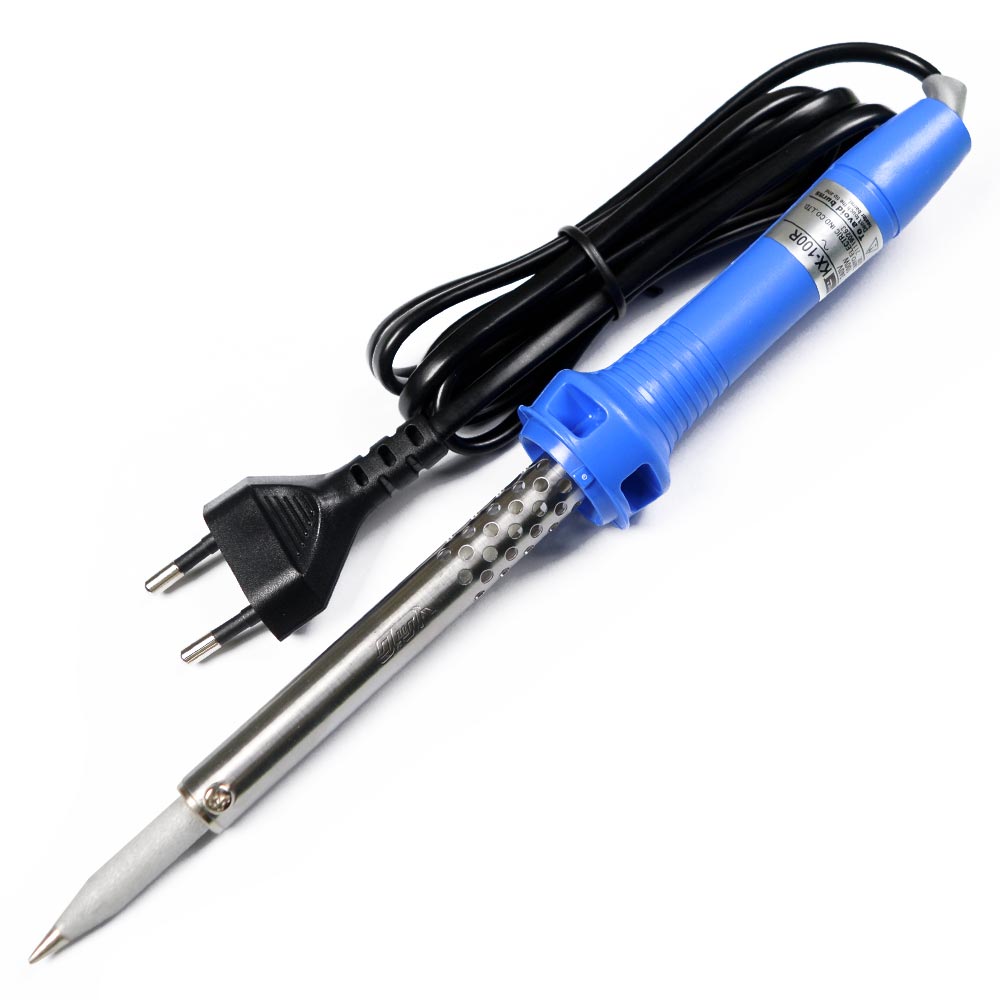
Most of the module’s I/O pins are easily accessible through the pin headers located on both sides of the board. Developers can connect various peripherals using jumper wires or place the board directly on a breadboard. Before use, the header pins must be soldered onto the board.
| Parameter | Details |
|---|---|
| Microcontroller Module | ESP32-S3-WROOM-1 |
| Processor | Dual-core Xtensa LX7 processor |
| Flash Memory | 16 MB embedded Flash |
| PSRAM | 8 MB PSRAM |
| Internal SRAM | 512 KB |
| Wi-Fi | 2.4 GHz Wi-Fi, IEEE 802.11 b/g/n |
| Bluetooth | Bluetooth 5 (BLE) |
| GPIO | Up to 34 GPIO pins |
| Logic Level | 3.3 V |
| USB Interface | Dual USB Type-C ports |
| Native USB | Built-in native USB support for programming and debugging |
| Power Supply | USB Type-C or external 5 V supply |
| Pin Headers | Side-mounted headers provide access to most I/O pins |
| Header Connectors | 2 × 22-pin male header connectors |
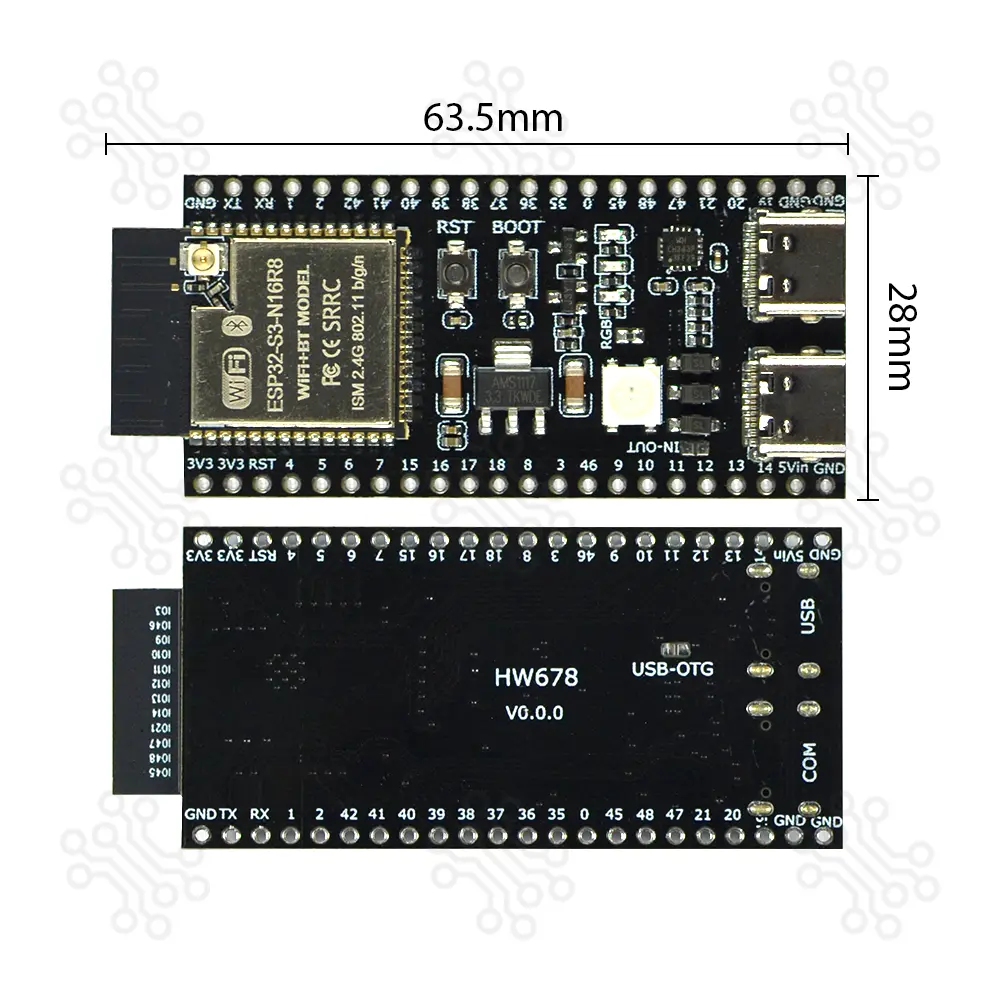
| Dimension | 63 × 28 mm |
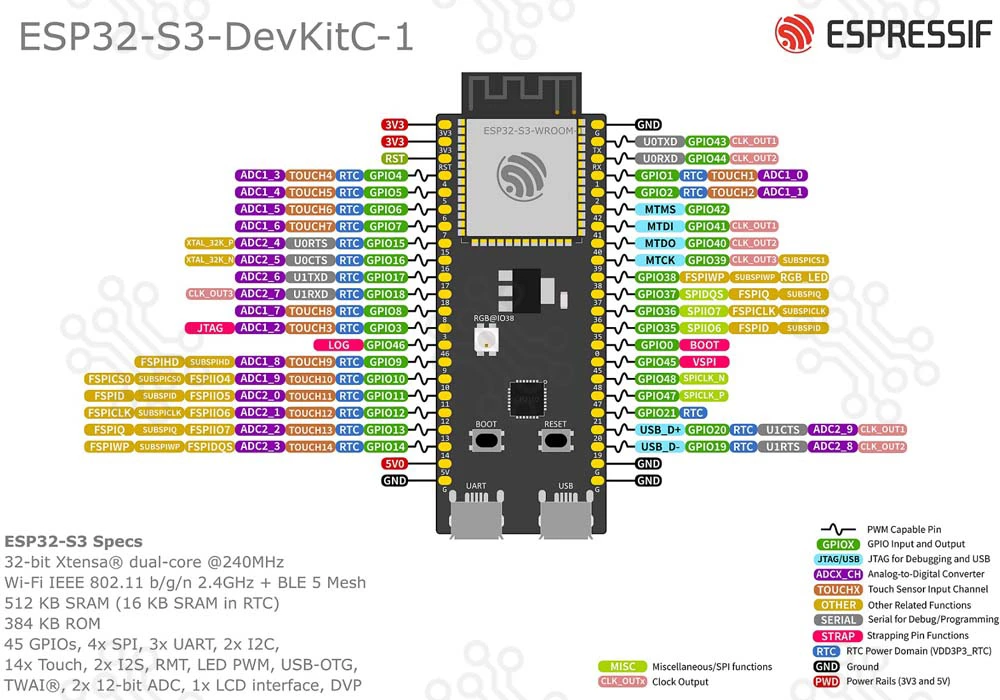
Note: For boards with Octal SPI flash/PSRAM memory embedded ESP32-S3-WROOM-1 modules, the pins GPIO35, GPIO36 and GPIO37 are used for the internal communication between ESP32-S3 and SPI flash/PSRAM memory, thus not available for external use.
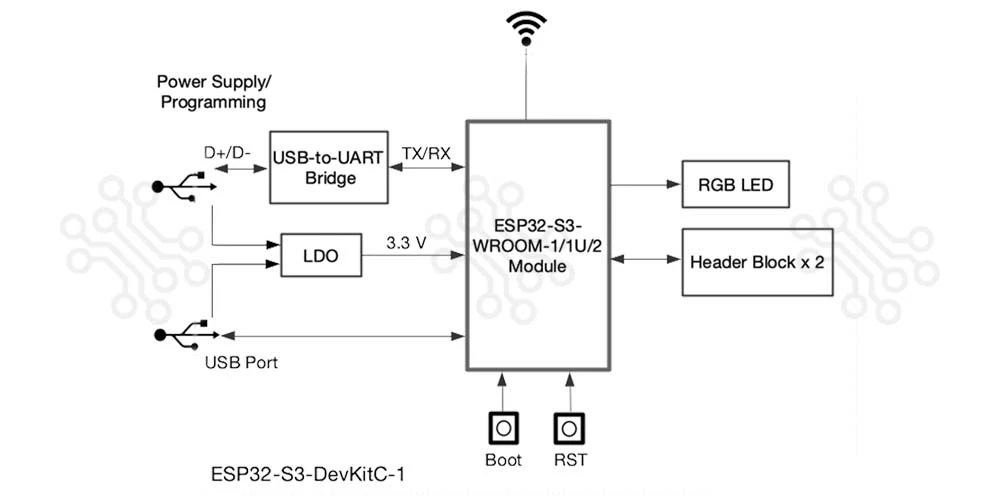
The block diagram below shows the components of ESP32-S3-DevKitC-1 and their interconnections.
There are three mutually exclusive ways to provide power to the board:
USB-to-UART Port and ESP32-S3 USB Port (either one or both), default power supply (recommended)
5V and G (GND) pins
3V3 and G (GND) pins
The two tables below provide the Name and Function of the pins on both sides of the board (J1 and J3). The pin names are shown in ESP32-S3-DevKitC-1 - front. The numbering is the same as in the Board Schematic (PDF).
| No. | Name | Type | Function |
|---|---|---|---|
| 1 | 3V3 | P | 3.3 V power supply |
| 2 | 3V3 | P | 3.3 V power supply |
| 3 | RST | I | EN |
| 4 | 4 | I/O/T | RTC_GPIO4, GPIO4, TOUCH4, ADC1_CH3 |
| 5 | 5 | I/O/T | RTC_GPIO5, GPIO5, TOUCH5, ADC1_CH4 |
| 6 | 6 | I/O/T | RTC_GPIO6, GPIO6, TOUCH6, ADC1_CH5 |
| 7 | 7 | I/O/T | RTC_GPIO7, GPIO7, TOUCH7, ADC1_CH6 |
| 8 | 15 | I/O/T | RTC_GPIO15, GPIO15, U0RTS, ADC2_CH4, XTAL_32K_P |
| 9 | 16 | I/O/T | RTC_GPIO16, GPIO16, U0CTS, ADC2_CH5, XTAL_32K_N |
| 10 | 17 | I/O/T | RTC_GPIO17, GPIO17, U1TXD, ADC2_CH6 |
| 11 | 18 | I/O/T | RTC_GPIO18, GPIO18, U1RXD, ADC2_CH7, CLK_OUT3 |
| 12 | 8 | I/O/T | RTC_GPIO8, GPIO8, TOUCH8, ADC1_CH7, SUBSPICS1 |
| 13 | 3 | I/O/T | RTC_GPIO3, GPIO3, TOUCH3, ADC1_CH2 |
| 14 | 46 | I/O/T | GPIO46 |
| 15 | 9 | I/O/T | RTC_GPIO9, GPIO9, TOUCH9, ADC1_CH8, FSPIHD, SUBSPIHD |
| 16 | 10 | I/O/T | RTC_GPIO10, GPIO10, TOUCH10, ADC1_CH9, FSPICS0, FSPIIO4, SUBSPICS0 |
| 17 | 11 | I/O/T | RTC_GPIO11, GPIO11, TOUCH11, ADC2_CH0, FSPIID, FSPIIO5, SUBSPID |
| 18 | 12 | I/O/T | RTC_GPIO12, GPIO12, TOUCH12, ADC2_CH1, FSPIIO6, SUBSPICLK |
| 19 | 13 | I/O/T | RTC_GPIO13, GPIO13, TOUCH13, ADC2_CH2, FSPIIO7, SUBSPIQ |
| 20 | 14 | I/O/T | RTC_GPIO14, GPIO14, TOUCH14, ADC2_CH3, FSPIWP, FSPIIO8, SUBSPIWP |
| 21 | 5V | P | 5 V power supply |
| 22 | G | G | Ground |
| No. | Name | Type | Function |
|---|---|---|---|
| 1 | G | G | Ground |
| 2 | TX | I/O/T | U0TXD, GPIO43, CLK_OUT1 |
| 3 | RX | I/O/T | U0RXD, GPIO44, CLK_OUT2 |
| 4 | 1 | I/O/T | RTC_GPIO1, GPIO1, TOUCH1, ADC1_CH0 |
| 5 | 2 | I/O/T | RTC_GPIO2, GPIO2, TOUCH2, ADC1_CH1 |
| 6 | 42 | I/O/T | MTMS, GPIO42 |
| 7 | 41 | I/O/T | MTDI, GPIO41, CLK_OUT1 |
| 8 | 40 | I/O/T | MTDO, GPIO40, CLK_OUT2 |
| 9 | 39 | I/O/T | MTCK, GPIO39, CLK_OUT3, SUBSPICS1 |
| 10 | 38 | I/O/T | GPIO38, FSPIWP, SUBSPIWP, RGB LED |
| 11 | 37 | I/O/T | SPIDQS, GPIO37, FSPIQ, SUBSPIQ |
| 12 | 36 | I/O/T | SPIIO7, GPIO36, FSPICLK, SUBSPICLK |
| 13 | 35 | I/O/T | SPIIO6, GPIO35, FSPID, SUBSPID |
| 14 | 0 | I/O/T | RTC_GPIO0, GPIO0 |
| 15 | 45 | I/O/T | GPIO45 |
| 16 | 48 | I/O/T | GPIO48, SPICLK_N, SUBSPICLK_N_DIFF |
| 17 | 47 | I/O/T | GPIO47, SPICLK_P, SUBSPICLK_P_DIFF |
| 18 | 21 | I/O/T | RTC_GPIO21, GPIO21 |
| 19 | 20 | I/O/T | RTC_GPIO20, GPIO20, U1CTS, ADC2_CH9, CLK_OUT1, USB_D+ |
| 20 | 19 | I/O/T | RTC_GPIO19, GPIO19, U1RTS, ADC2_CH8, CLK_OUT2, USB_D- |
| 21 | G | G | Ground |
| 22 | G | G | Ground |
How to Program ESP32-S3-DevKitC-1??
The ESP32-S3-DevKitC-1 is a development board based on ESP32-S3-WROOM-1 modules, which include a microcontroller with Wi-Fi and Bluetooth LE. It exposes most of its I/O pins through headers, allowing you to connect sensors, actuators, and other devices.
You can program this board using different IDE platforms, depending on your preference and project type. The most common options are:
Arduino IDE – simple and beginner-friendly, ideal for quick testing or IoT projects.
ESP-IDF – the official framework from Espressif, more powerful for advanced features and performance tuning.
Before programming, make sure:
You have a USB cable to connect the board.
Your computer recognizes the board’s USB-to-serial interface.
To test the board, you can upload a simple LED blink program using Arduino IDE.
Install ESP32 support in Arduino IDE
Follow the guide: “Installing ESP32 Board in Arduino IDE”.
Select the board
Go to Tools → Board and choose ESP32S3 Dev Module.
Write the code
Example for blinking the RGB LED (usually on GPIO48)
The ESP32 S3 DevKitC1 N16R8 Development Board Dual USB Type C is ideal for:
Ratings and 8 Reviews
Reviews (8)

 Verified Purchase
### ⭐ 10-Day Review I’ve been using this device for 10 days and tested it extensively in different ways. During this time, I changed the firmware 2-3 times and tried different setups. Overall, I really like the product and it has performed well. My only suggestion is to include a proper user manual, especially explaining the different indicator lights and their functions. Overall, a great product and I’m happy with it.
Verified Purchase
Works, but we nned industrial grade ESP board.
Verified Purchase
Full working. Nice product. Packet nicely.
Verified Purchase
Same as picture. Highly recommend.
Verified Purchase
24 h এর মধ্যে ডেলিভারি পেয়েছি। এখন পর্যন্ত ভালই কাজ করছে।
how much is the delivery charge and how much time will it take to get delivered
By mashroorrahman288 on 24 Sep 2026
Please contact our Customer Care team at 09671110110 or 01841110110 for further assistance.
By TechShopBD on 26 Sep 2026
If I include a request in the order notes to solder the pin headers, will you solder them for this product?
By promax741258 on 16 Sep 2026
If you would like, we can solder the product for you before delivery. After placing your order, please inform us through our Helpline number i.e. 09678110110 and mention your Order Number.
By TechShopBD on 19 Sep 2026
Does all of this product come with Octal SPI Flash/PSRAM ? or some comes with single mode SPI and some with Octal SPI ?
By fjfgjhguwhbxgh on 03 Sep 2026
Yes, this product comes with Octal SPI Flash and Octal SPI PSRAM. The ESP32-S3 N16R8 variant specifically indicates 16 MB Flash and 8 MB PSRAM in the Octal SPI configuration.
By TechShopBD on 06 Sep 2026
Can I attach external antenna to this via the port??
By banglaminecraft200@gmail.com on 20 Apr 2026
Yes, you can attach an external antenna
By TechShopBD on 21 Apr 2026
Is it soldered
By ahnafmohshen@gmail.com on 01 Apr 2026
No. But if you want we can do it for you.
By TechShopBD on 02 Apr 2026
The latest and best price of ESP32 S3 DevKitC1 N16R8 Development Board Dual USB Type C in BD is BDT 980.04 Taka. You can purchase the ESP32 S3 DevKitC1 N16R8 Development Board Dual USB Type C at the best price on TechShopBD.com or visit our office to pick yours up today.
You can easily buy the ESP32 S3 DevKitC1 N16R8 Development Board Dual USB Type C at the best price in BD from TechShopBD.com (our online store) or visit our physical office.
When you choose TechShopBD for purchasing ESP32 S3 DevKitC1 N16R8 Development Board Dual USB Type C, you’re not just buying a product — you're investing in quality, support, and convenience. Here’s why thousands of customers trust us: